Begin here
Quick Start
You can begin practicing in a few steps.
-
Choose Study or Test Mode
Study Mode lets you work through cards at your own pace and view supplemental information. Test Mode provides flexible self-testing with either a timed duration or no countdown.
-
Choose what you want to practice
Select the Full Bank, Foundational Terms, Applied Scenarios, a TCO Domain, or one of the smaller Parts. If you are not sure where to begin, start with Foundational Terms.
-
Say the answer before flipping
Read the definition or scenario, then say the term out loud—or clearly say it to yourself—before revealing it.
-
Score yourself in Test Mode
After revealing the term, compare it with your answer and mark the response Correct or Incorrect.
-
Review what you miss
Cards you mark Incorrect automatically appear in Your Review. You can study them until a later Test result updates the stack or you remove them yourself.
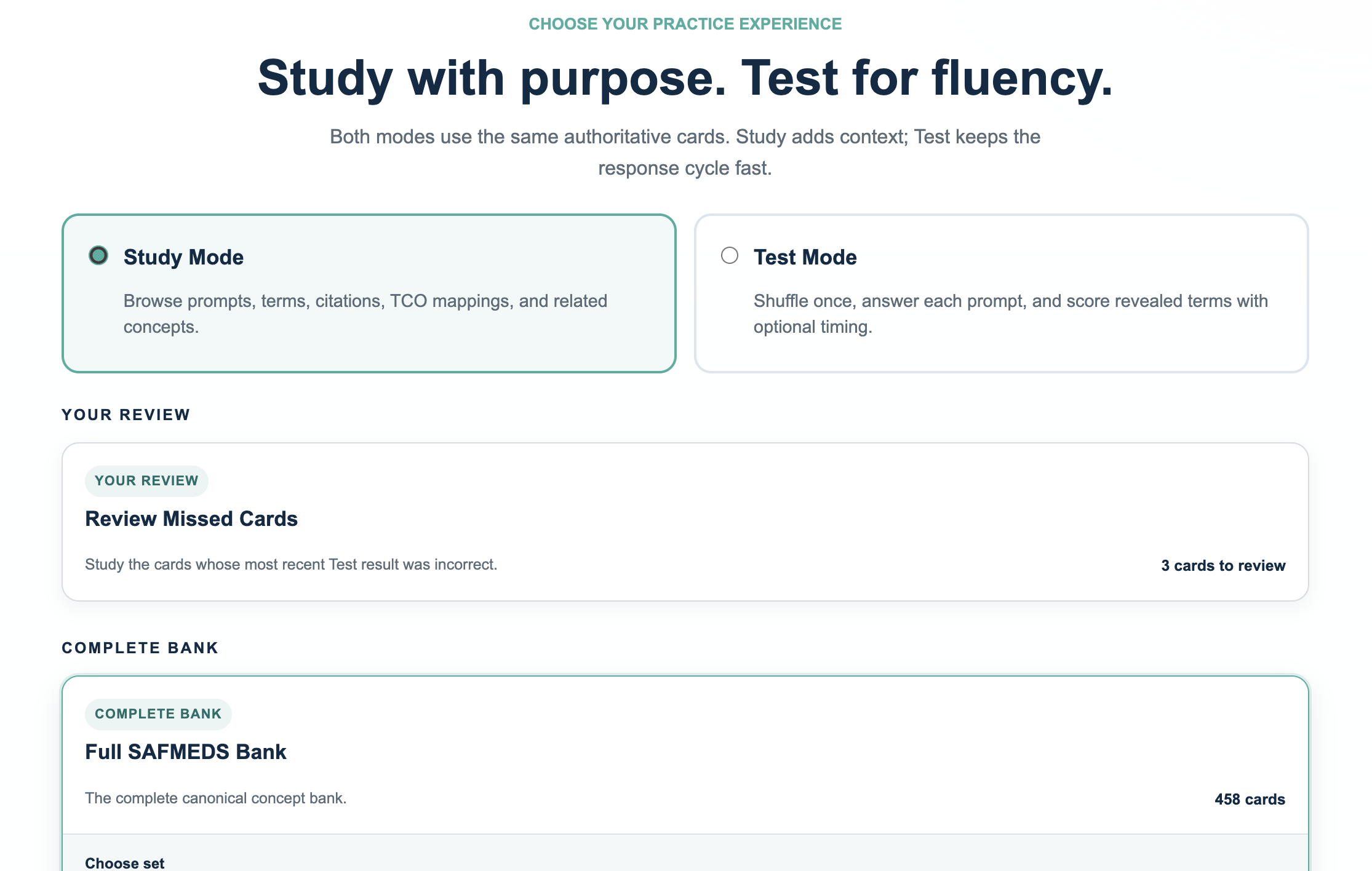
Learn and clarify
Study Mode
Use Study Mode when your primary goal is understanding, reviewing, or learning concepts rather than measuring fluency.
When to use Study Mode
Study Mode is useful for:
- learning unfamiliar concepts;
- reviewing terms you repeatedly miss;
- comparing related concepts and clarifying distinctions;
- reviewing TCO placement;
- following Cooper citations for deeper study;
- slowly working through a new deck.
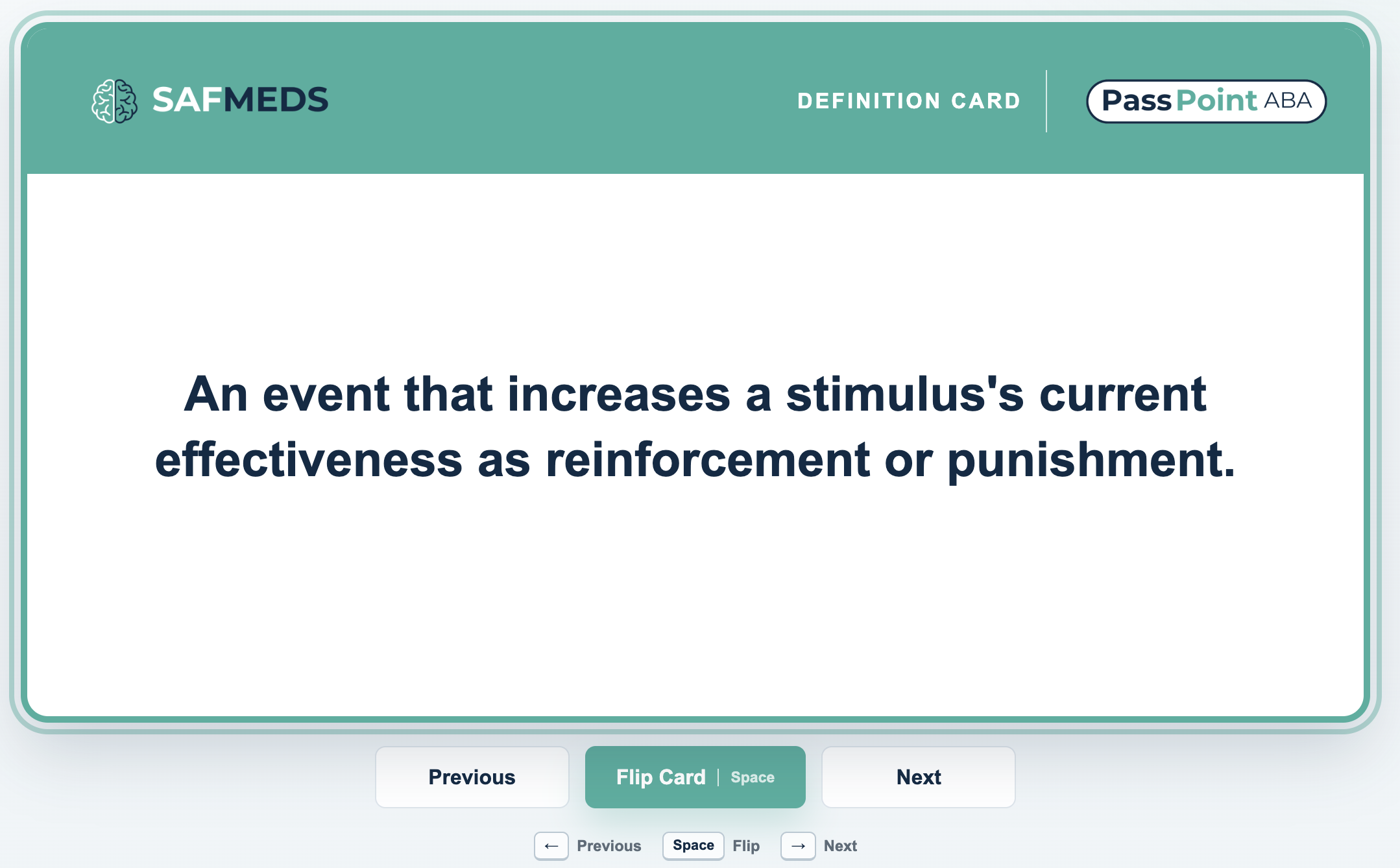
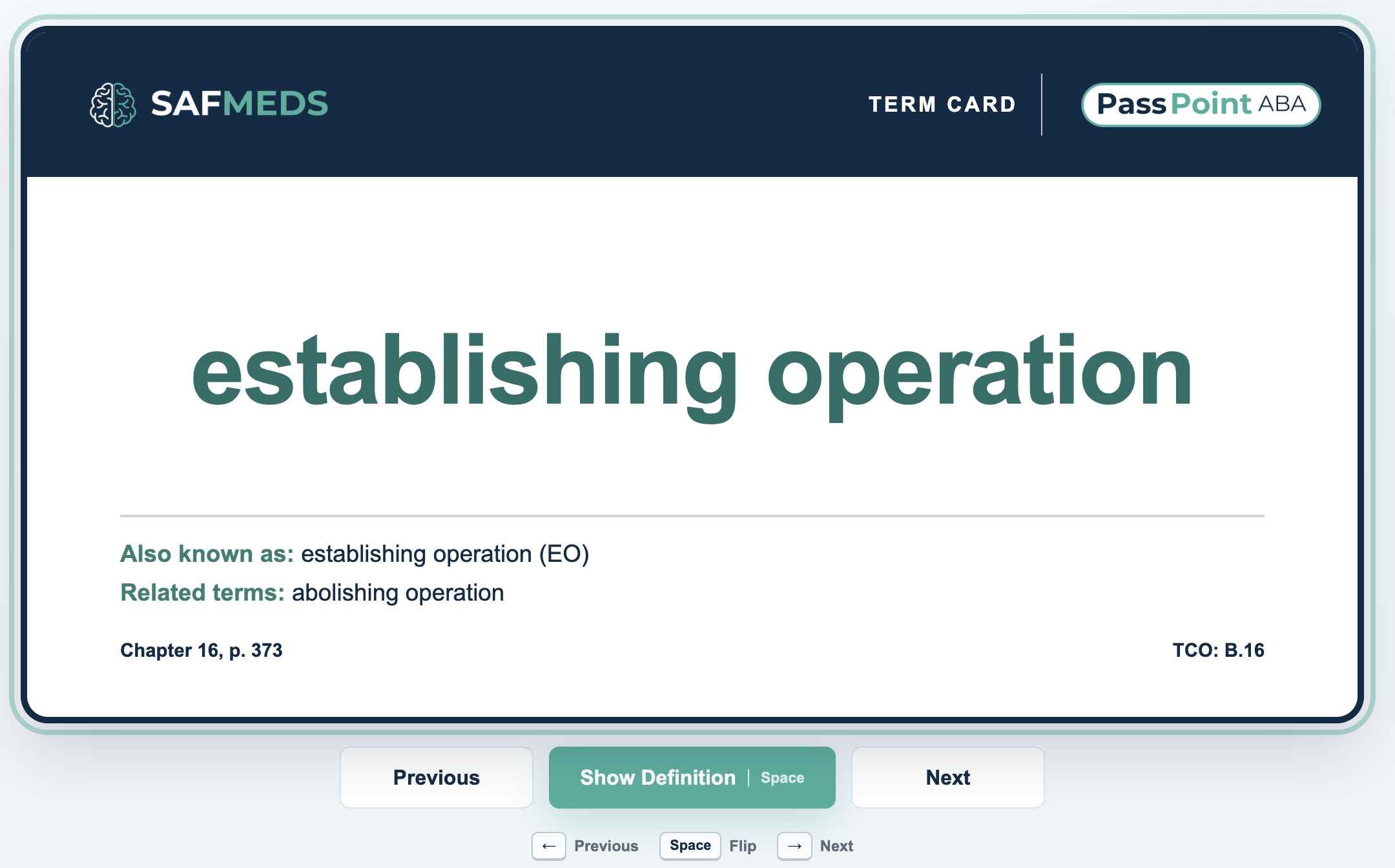
What appears on a Study card
The prompt appears first. Try to identify the concept before flipping. The answer side can show:
- the canonical term;
- alternate labels;
- related concepts;
- TCO mappings;
- a Cooper citation.
Do not treat the additional information as something you must memorize word-for-word. Use it to understand why the answer is correct and how the concept relates to other material.
Shuffled or Deck Order?
Shuffled
This is the default for ordinary Study decks. It reduces predictable order cues and is useful when you want mixed retrieval practice.
Deck order
Use this when you intentionally want to move through a stable deck sequence or repeat the same sequence.
Your Review is different: it does not use the ordinary shuffle setting. Review cards are shown with your most recently missed cards first.
Study Mode controls
Use the keyboard for speed or the visible on-screen controls.
- ←
- Previous
- Space
- Flip
- →
- Next
Retrieve and measure
Test Mode
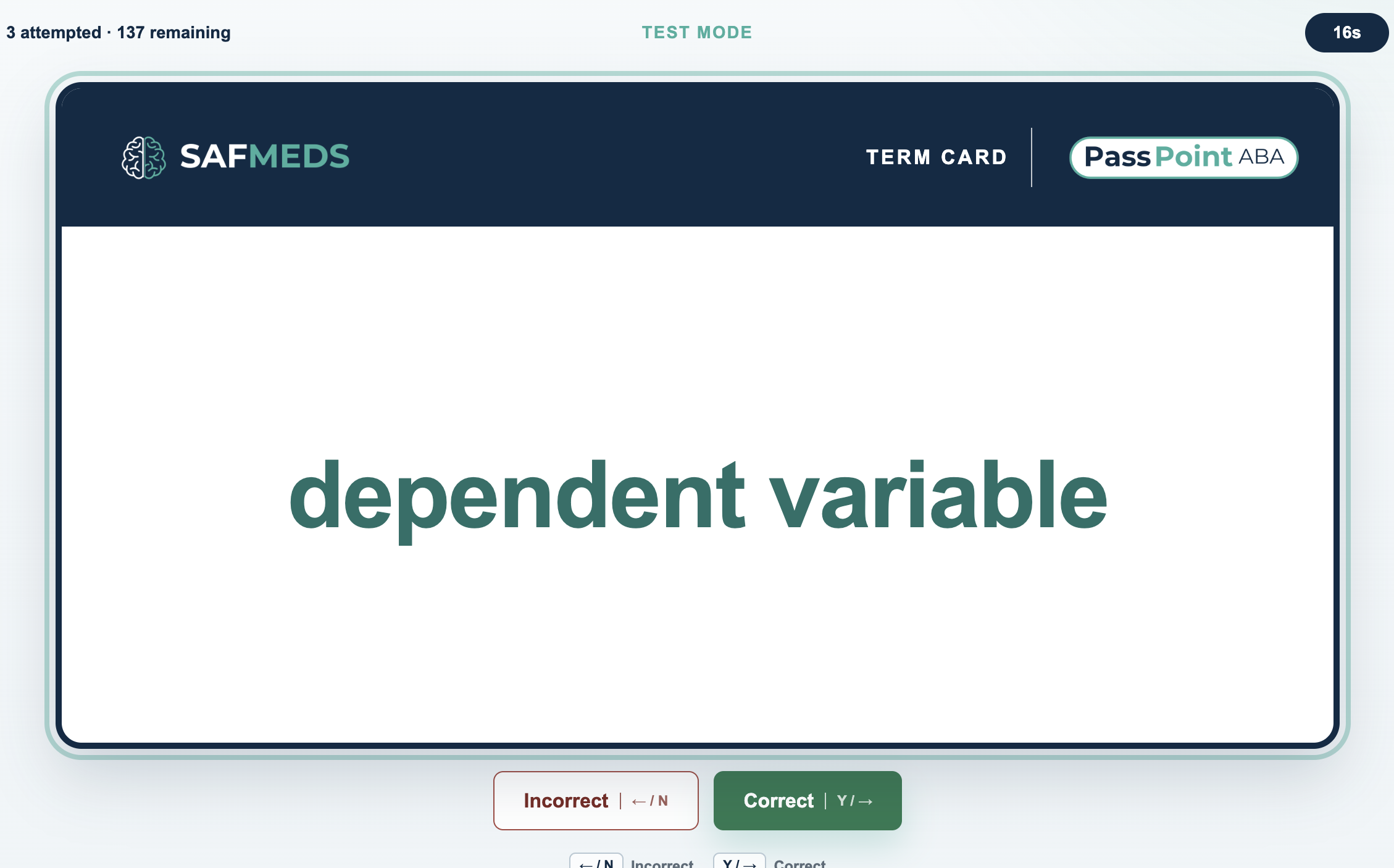
Use Test Mode when you want to check what you can independently identify without Study Mode's supplemental information. Choose a timed session when you want to build fluency, or Untimed when you want to complete a finite deck without a countdown.
- Read the prompt.
- Say the term out loud—or clearly say it to yourself.
- Press Space or use the on-screen Flip control.
- Compare your response with the revealed term.
- Mark Correct or Incorrect.
- Continue immediately to the next card.
Cards are shuffled once when the Test starts. Each supplied card appears at most once in that pass. A timed session ends when time expires or the deck is completed; an Untimed session ends when the finite deck is completed.
Choosing a Test Duration
A short fluency burst for familiar material or smaller decks.
The recommended general-purpose starting point for timed fluency practice.
Useful when material is less familiar or Applied prompts take longer to process.
A flexible knowledge check for completing the selected deck without interruption.
Timed practice follows the traditional SAFMEDS emphasis on fluent responding. Untimed broadens Test Mode for knowledge checks and deliberate self-testing. It removes automatic expiration—not the answer-before-flip sequence, self-scoring, shuffle, or finite-deck ending.
You do not need to use SAFMEDS in only one way. Choose the format that best matches what you are practicing, prioritize accurate responding, and place greater emphasis on speed as the material becomes fluent.
Test Mode controls
Scoring controls become active after the answer is revealed.
- Space
- Flip
- ← / N
- Incorrect
- Y / →
- Correct
Read the outcome
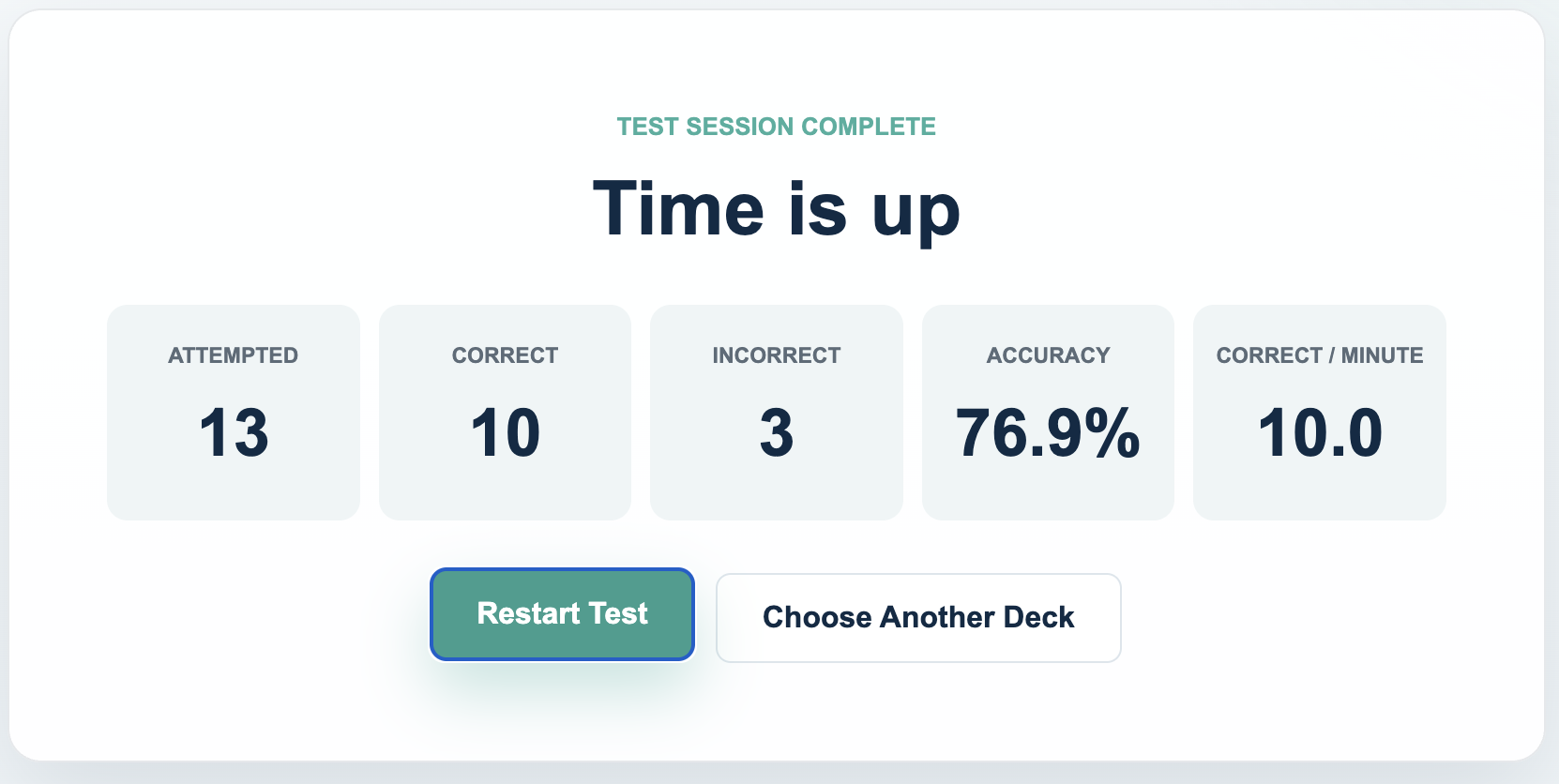
Understanding Your Test Results
- Attempted
- How many cards you responded to during the session.
- Correct
- How many responses you scored Correct.
- Incorrect
- How many responses you scored Incorrect.
- Accuracy
- The percentage of attempted cards on which you correctly identified the intended concept.
- Correct / minute
- Your rate of correct responding, especially useful for comparing like-for-like timed practice.
Optional: Track Your Fluency Over Time
If you want to monitor fluency, repeat a sufficiently large deck with the same timed duration and the same scoring standard. Record Correct after each session; you may also record Accuracy. Compare the pattern over time rather than treating one score as a cutoff.
- Choose the same sufficiently large deck.
- Use the same timed duration—for example, 1 minute.
- Apply the same answer-before-flip scoring standard.
- Record Correct and, optionally, Accuracy.
- Compare several sessions over time.
Use a deck large enough to avoid an early ceiling. Foundational Terms, the Full Bank, and larger Domain decks are useful candidates. A smaller Domain may end before the timer, so not every Domain is well suited to rate tracking.
Timed Tests are preferred for comparable fluency checks. Untimed Tests are useful for broader or more flexible knowledge checks, and the app still reports Correct per minute, but pauses and deliberation vary—so Untimed Correct per minute should not be your primary progress measure.
Practice with purpose
Choosing the Right Deck
Different decks are designed for different study goals. You do not need to practice the entire bank every time.
Full SAFMEDS Bank
The most comprehensive definition-based deck.
Best for
- broad mixed review;
- later-stage retrieval practice;
- finding weak areas across domains;
- comprehensive maintenance.
The Full Bank is comprehensive, but it is usually not the best starting point when many concepts are still unfamiliar.
Its stable smaller Parts let you repeatedly practice manageable subsets while working toward complete coverage.
Foundational Terms
For most learners, Foundational Terms is the best place to begin. Its 140 curated, high-priority concepts provide a smaller, approachable base of core vocabulary and conceptual foundations for broader study.
Best for
- beginning structured SAFMEDS practice;
- strengthening core vocabulary;
- returning to studying after time away;
- reducing the initial amount of material.
Foundational is a starting base, not a complete preparation plan or a statement about exam weighting. It does not replace the broader SAFMEDS bank, application practice, or mock exams.
Applied Scenarios
Concise situations that ask you to identify the relevant behavior-analytic concept.
Best for
- transferring definition knowledge to examples;
- checking understanding beyond wording recognition;
- discriminating among related concepts;
- bridging vocabulary and longer practice questions.
Applied SAFMEDS are shorter and more focused than BCBA exam questions. They practice concept identification and application; they do not fully simulate the exam.
TCO Domain decks
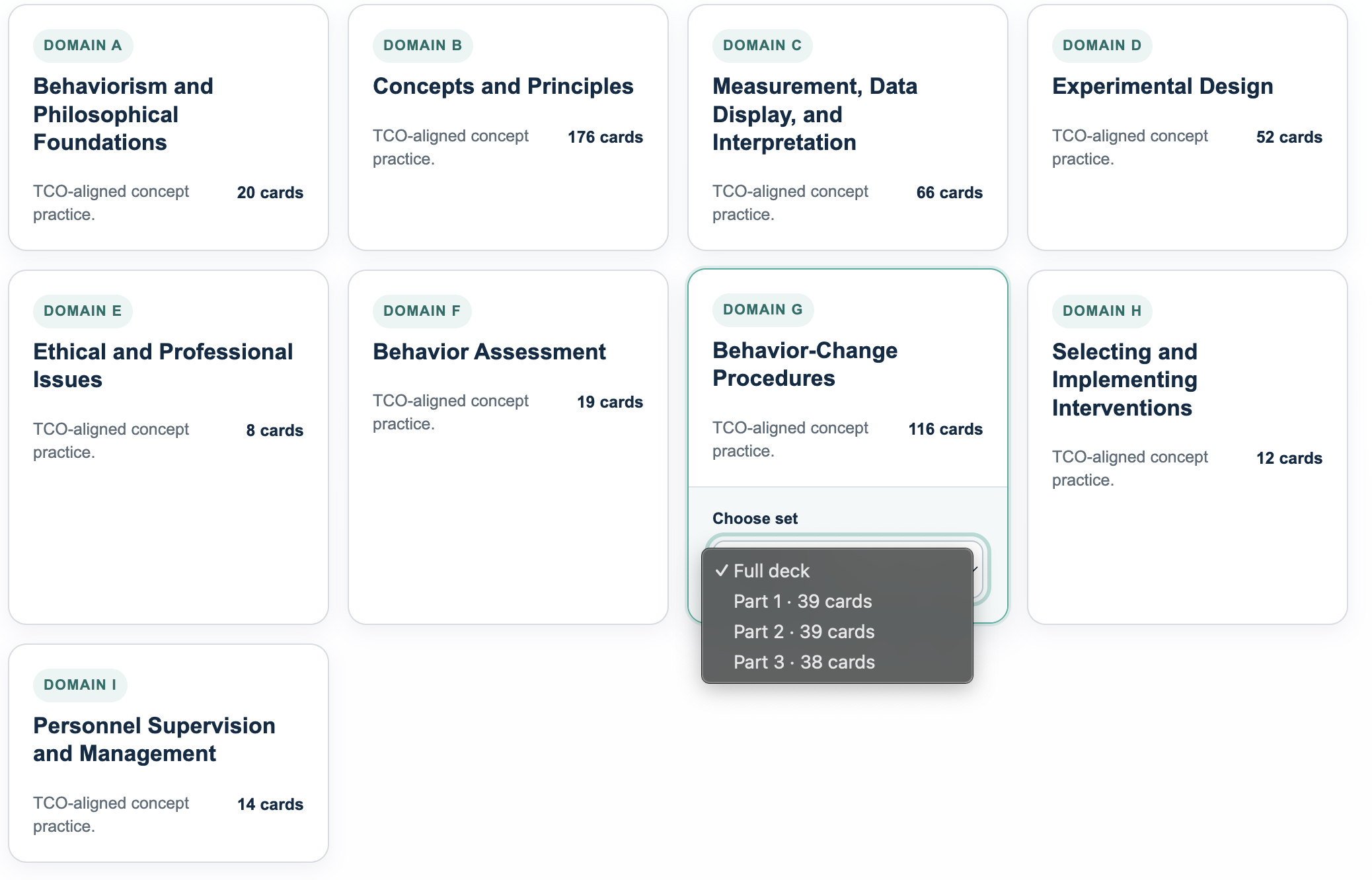
Use a Domain deck when coursework, practice questions, a mock exam, or self-assessment identifies a specific area that needs more attention. Larger Domains also provide stable Parts for manageable practice before you return to the full Domain.
Deck size is not exam weighting. The number of SAFMEDS cards in a Domain reflects the concepts represented in the PassPoint ABA bank. It is not the percentage of BCBA exam questions assigned to that Domain.
- ABehaviorism and Philosophical Foundations
- BConcepts and Principles
- CMeasurement, Data Display, and Interpretation
- DExperimental Design
- EEthical and Professional Issues
- FBehavior Assessment
- GBehavior-Change Procedures
- HSelecting and Implementing Interventions
- IPersonnel Supervision and Management
Personalized follow-up
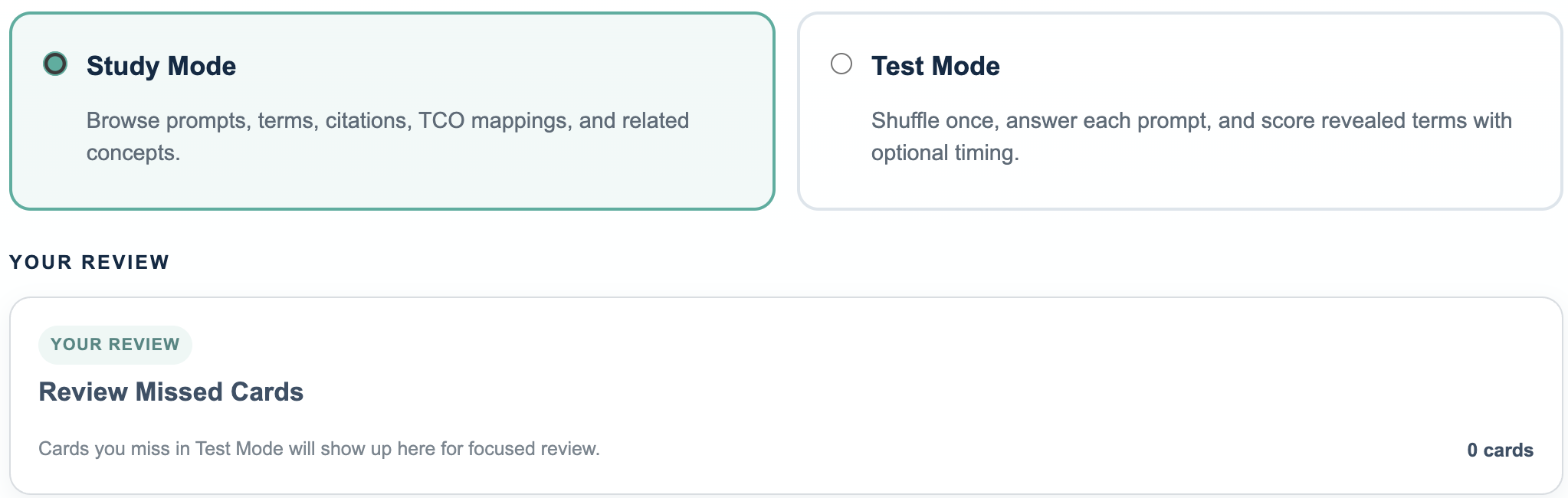
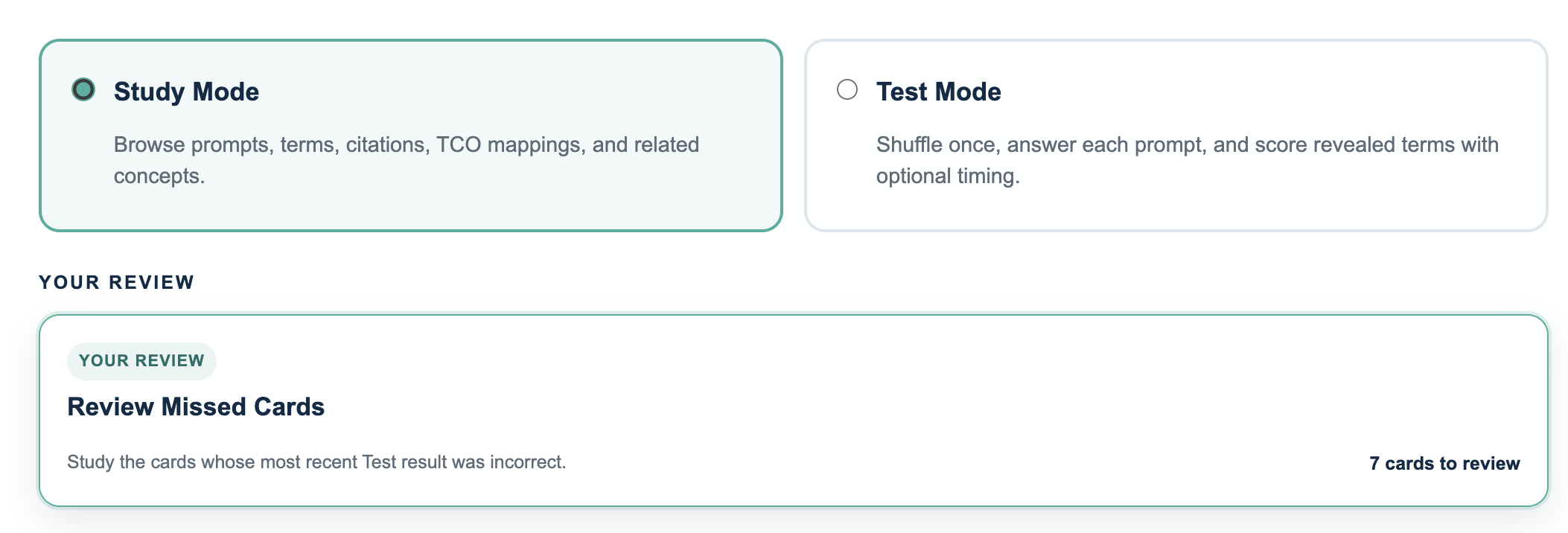
Your Review
Your Review turns recent Test misses into a focused Study deck.
- Miss a card in Test Mode.That exact card is added to Your Review.
- Study the distinction.Review cards appear with the most recently missed first.
- Keep it or remove it.After revealing a Review card, choose Remove from Review when you no longer want it in your focused stack.
- Let later Test results update it.A later Incorrect response puts the card back in Review. A Correct response keeps it out.
The same definition card can appear in several places—for example, the Full Bank, a Domain deck, and a smaller Part. Because those decks share the same card, its latest Test result updates one shared Review status.
Canonical definition cards and Applied scenario cards are tracked separately. You may be fluent with a definition while still needing practice identifying the same concept in a scenario.
Build a useful routine
A Practical SAFMEDS Study Progression
This is a suggested framework, not a required sequence. Adjust it based on your coursework, practice-question performance, mock results, and familiarity with the material.
Learn
Deck: Foundational Terms
Mode: Study
For most learners, begin by understanding core concepts and vocabulary before emphasizing speed.
Retrieve
Deck: Foundational Terms, then targeted Domains
Mode: Test
Say each answer before flipping. Use Untimed for a knowledge check or a timed duration for fluency practice.
Target Weak Areas
Deck: Specific Domains and Parts
Spend more time where mock exams, practice questions, or repeated errors identify a need.
Apply
Deck: Applied Scenarios
Recognize concepts from concise examples rather than direct definitions.
Mix
Deck: Full Bank or its Parts
Practice without Domain cues and build broad retrieval.
Review and Reassess
Tools: Your Review, practice questions, and mock exams
Return to persistent weaknesses, then check whether fluency transfers to application.
Example Study Routines
These are flexible examples, not rigid prescriptions.
10-Minute Focused Session
- Briefly Study a weak deck or Your Review.
- Complete an Untimed knowledge check or short timed Test rounds.
- Inspect the concepts you missed.
20–30 Minute Study Session
- Study a targeted Domain.
- Use an Untimed Test to check knowledge, then timed Tests for fluency.
- Work through Your Review.
- Finish with Applied scenarios or practice questions.
Longer Study Block
- Review a weak Domain.
- Complete Untimed self-testing and timed fluency practice where useful.
- Work Applied scenarios.
- Mix concepts using the Full Bank.
- Transition to practice questions or mock review.
If You Keep Missing the Same Concept
- Slow down.
- Read the complete definition carefully.
- Look at related concepts, especially distinctions you commonly confuse.
- Follow the Cooper citation when available.
- Identify what makes the correct concept different from the answer you keep choosing.
- Return to Test Mode after the distinction makes sense.
Connect fluency to application
SAFMEDS Are One Part of Exam Preparation
SAFMEDS are particularly useful for terminology, rapid retrieval, concept discrimination, foundational fluency, and identifying concepts that need more study.
They should complement rather than replace reading source material, scenario-based practice questions, answer-explanation review, mock exams, and practice analyzing longer exam-style questions.
SAFMEDS
Build vocabulary and retrieval fluency.
Practice Questions
Build application and discrimination.
Mock Exams
Build integration, pacing, endurance, and exam-style decision making.
Turn Weak Areas Into a Study Plan
If a mock exam or practice set identifies weaker performance in a particular TCO Domain, use the corresponding Domain SAFMEDS deck to reinforce the terminology and concepts underlying that area.
Then return to practice questions to check whether stronger concept fluency transfers to application.
Common SAFMEDS Mistakes
- Flipping too soon.Say the answer out loud—or clearly to yourself—before revealing it.
- Scoring familiarity.Do not mark Correct just because the revealed term looks familiar.
- Starting too broadly.The Full Bank can be overwhelming when many concepts are unfamiliar.
- Prioritizing speed too early.Accuracy should remain stable as rate improves.
- Staying in one Domain.Target weak areas, then return to mixed practice.
- Ignoring Your Review.Study repeated misses, and remove a card from the focused stack only when it no longer needs that attention.
- Memorizing wording only.Learn the concept and the distinctions that define it.
- Using only SAFMEDS.Include application practice and mock exams in your preparation.
Common questions
Frequently Asked Questions
Do I need to memorize the definitions word-for-word?
No. Focus on accurately identifying and understanding the concept represented by the prompt. Exact wording is not the target.
Should I start with Study Mode or Test Mode?
Use Study Mode when concepts are unfamiliar or need clarification. Move toward Test Mode as you become able to retrieve them independently.
What Test duration should I use?
One minute is the recommended general-purpose starting point for timed practice. You can also choose 30 seconds, 2 minutes, or Untimed based on familiarity, deck size, prompt type, and whether you are practicing fluency or checking knowledge.
When should I choose Timed versus Untimed?
Choose a timed duration to practice fluency and make comparable checks under consistent conditions. Choose Untimed to self-test across a finite deck without a countdown. In either case, answer before flipping, compare with the revealed term, and score yourself honestly.
Why does the same term appear in more than one deck?
Decks intentionally overlap. A concept may be part of the Full Bank, a Domain, Foundational Terms, and one or more smaller Parts without creating separate definition cards.
Why did a card disappear from Your Review?
A card can leave Your Review in two ways: you score that exact card Correct in Test Mode, or you choose Remove from Review after revealing it in Review Study. Manual removal does not mark the card Correct. If you later score it Incorrect in Test Mode, it returns automatically.
Why is an Applied card still in Review when I answered its definition card correctly?
Definition cards and Applied scenario cards are tracked separately because they practice different forms of retrieval.
Are the number of cards in each Domain the same as the BCBA exam weighting?
No. Domain deck sizes reflect the concepts represented in the SAFMEDS bank, not the number or percentage of exam questions from that Domain.
Should I finish every SAFMEDS card before taking a mock exam?
No. SAFMEDS and mock exams can be used iteratively. Mock results can identify Domains to target with SAFMEDS, and later practice can show whether that targeted studying helped.